What You See in HQ
HQ shows each person only the apps they need for their job. This page explains why your menu looks the way it does and what to do when something is missing.
Your apps depend on your job
Section titled “Your apps depend on your job”Your company uses a set of solutions, for example Website, CRM, Invoicing or Email Marketing. Your manager gives you an access level in the solutions you work with. You see:
- the apps of the solutions you have a level in;
- the shared tools your company uses, such as Team Talk, Calendar and To-do.
Apps of other solutions are hidden, so the menu stays short.
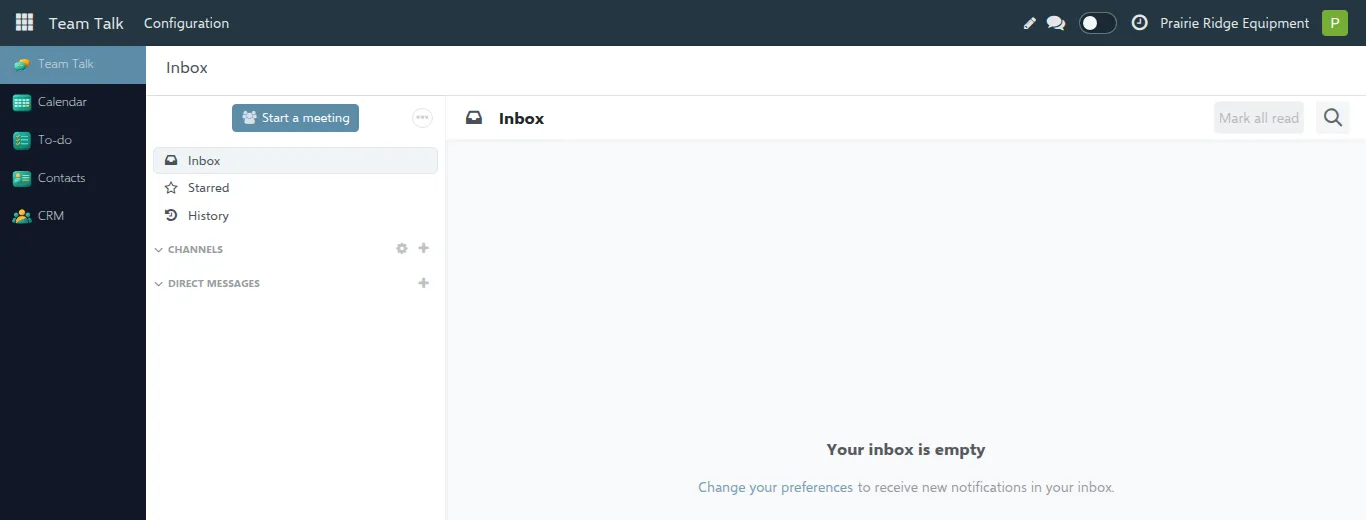
For example, a salesperson sees CRM and Contacts:
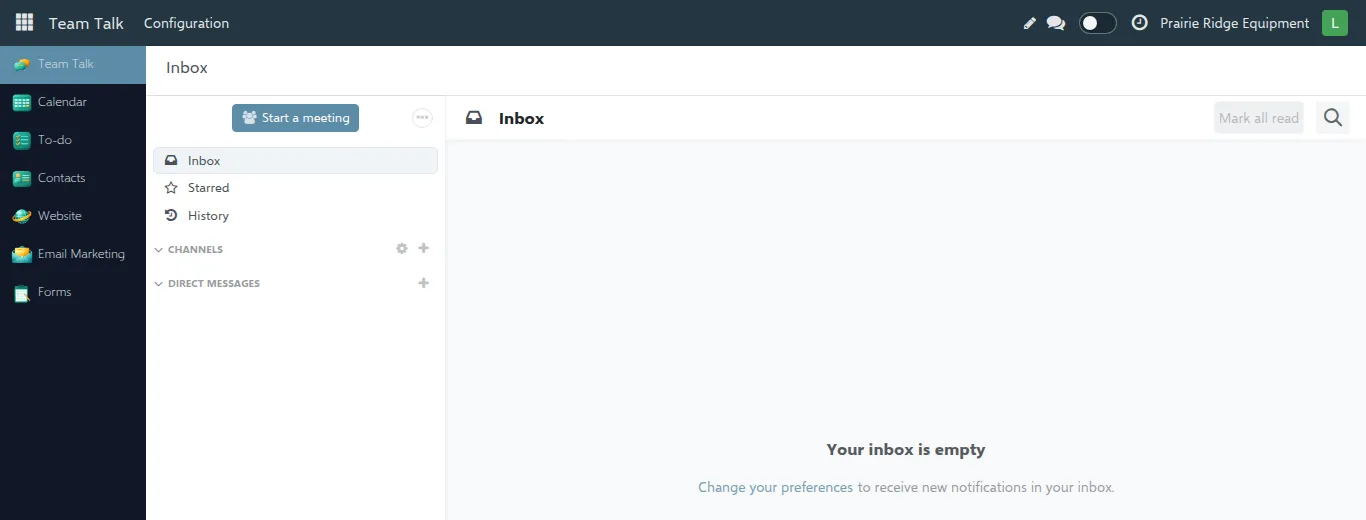
A website editor of the same company sees Website, Email Marketing and Forms instead:
What the levels mean
Section titled “What the levels mean”Most solutions have two or three levels. The names tell you how much you can do:
| Level | You can |
|---|---|
| Own Documents | Work with your own leads, quotes and orders. |
| All Documents | Also see and work with the documents of your colleagues. |
| User | Use the app day to day. |
| Manager / Administrator | Also change the app’s settings and see everything in it. |
| Payment Provider Manager | Enter your company’s Stripe keys and generate the Stripe webhook. You see only your own company’s Stripe provider and cannot delete it. |
You always see only the data of your own company.
When something is missing
Section titled “When something is missing”“I don’t see an app I need.” Ask your manager for access. Say which app you need and what you want to do in it, for example “I need to send invoices”. They will give you the right level.
“An app disappeared from my menu.” Either your level was changed, or the solution has a problem in your company (for example its setup is not finished). Tell your manager; once it is fixed the app comes back.
“I see the app, but a button or menu inside it is missing.” Your level does not include it. For example, settings menus are only for the Manager or Administrator level. Ask your manager if you need it.
“I opened a link and got an access error.” The link leads to something outside your level, or to a record of another company. Ask the person who sent it, or your manager.
“My manager gave me access, but I still don’t see it.” Reload the page (press F5). If it is still missing, sign out and sign in again.