Rental admin guide
For administrators and sales managers who set up rentals. It covers the maintained
rental modules only: rental_base, sale_rental, rental_pricelist,
rental_contact_to_rent, and website_rental_contact_to_rent. Other rental addons in
this repository are legacy and are outside this guide’s scope. To work with rental
orders and website requests day to day, see the
Rental user guide.
Configure a rental product and its prices
Section titled “Configure a rental product and its prices”- Open Rentals → Products or Products → Products, then open the product.
- On the product form, enable Rental. This flag does not change the product type or its Track Inventory setting.
- If customers should request this product from the website, publish it on the website.
- Open the Rental Prices tab and add a row for each rate. Set the Period, Price, and, when needed, Pricelist and Variant.
- Save the product.
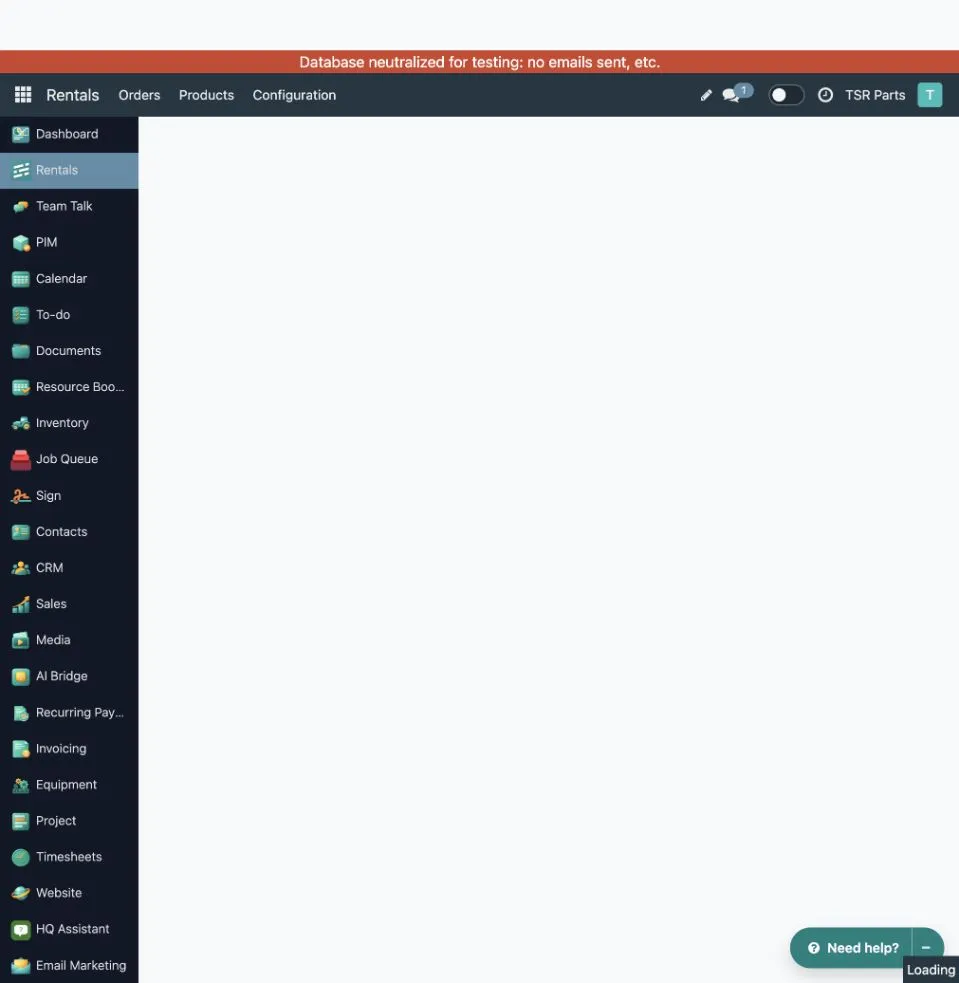
The screenshot shows the QA rental-product list and the configured TSR Parts product
218189. Open the product before changing its rental settings or price rows.
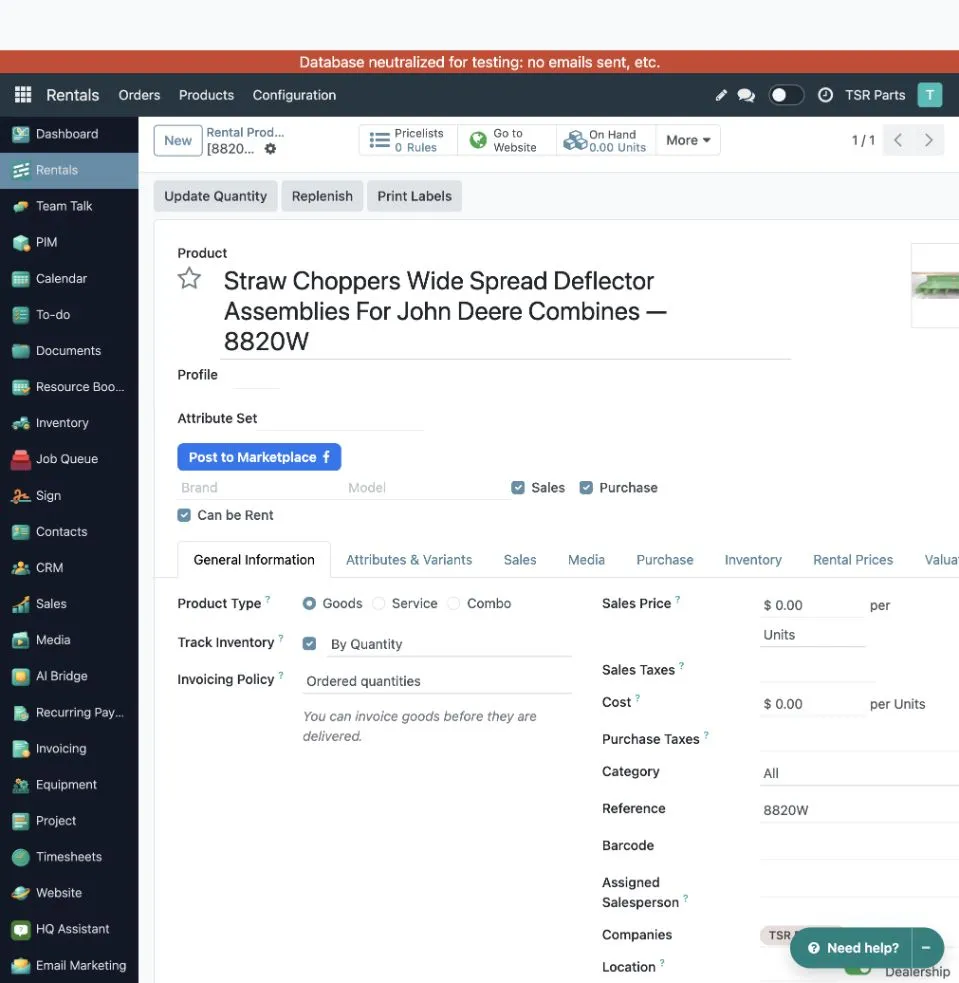
Rental and Track Inventory are independent settings. The screenshot shows a tracked goods product that is also available for rental.
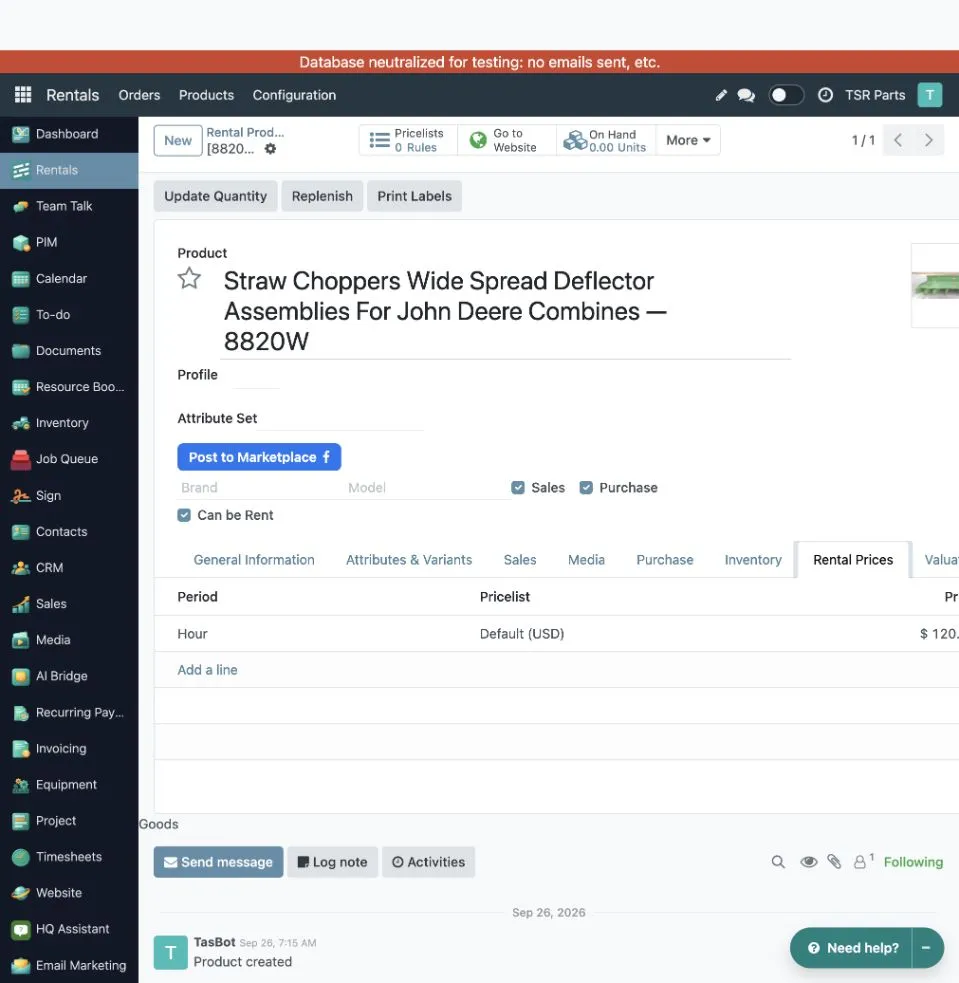
Each row defines one rental rate. Use Add a line to add another period, pricelist, price, or variant-specific override.
Leave Pricelist empty for a general rate. A rate for a specific pricelist takes precedence over the general rate for the same period. A variant-specific rate takes precedence over the template rate in the same pricelist scope. The product’s regular sales price is separate and is not a rental-price fallback.
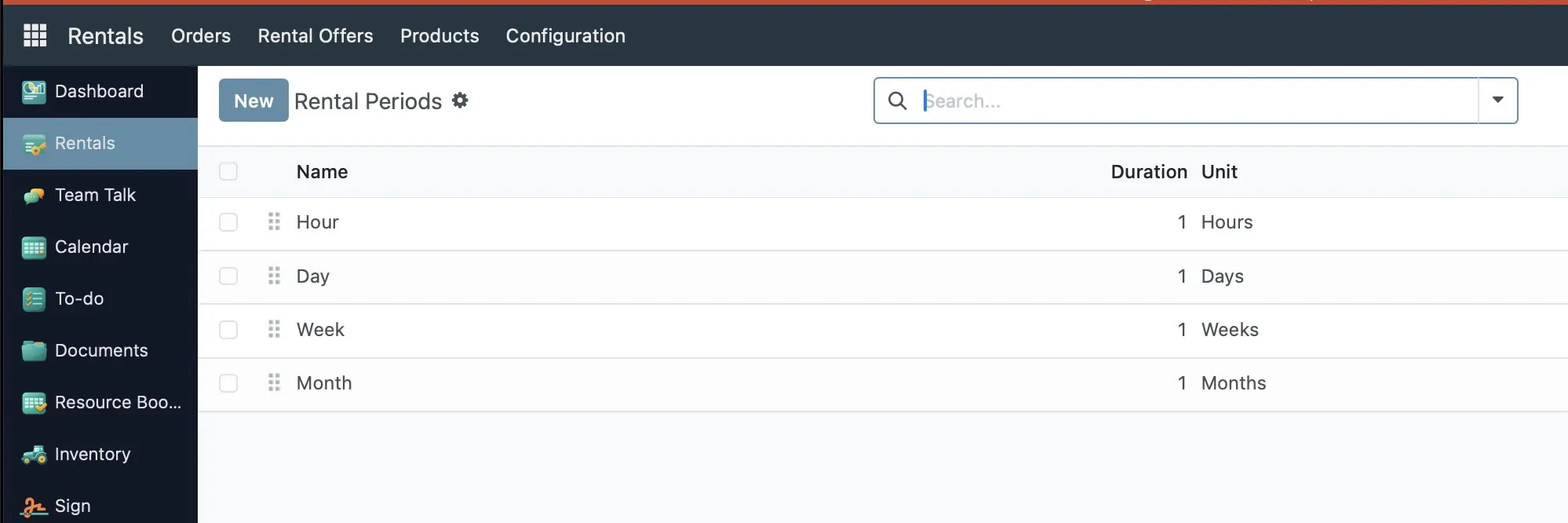
Rental periods are managed in Rentals → Configuration → Rental Periods. Standard
periods include Hour, Day, Week, and Month. A period with duration 0 represents a
fixed price that does not scale with the rental duration.
How rental pricing works
Section titled “How rental pricing works”For the line’s effective dates, the system evaluates each applicable rental-price row and chooses the single row with the lowest total. It repeats that row enough times to cover the rental; it does not combine different period rows. Rental durations are billed in whole periods, with a minimum of one. The order-line quantity remains the number of physical items and is not multiplied by the duration.
For example, if the Day rate is $125 and the Week rate is $700, an eight-day rental compares eight Day periods ($1,000) with two Week periods ($1,400), so the Day rate is selected. The applicable variant, pricelist, and currency conversion are resolved for the order.
Use Update Rental Prices on a quotation or order to recalculate its rental lines. Each rental line needs an applicable rental-price row; there is no fallback to the ordinary sales price.
Contact phone for customers
Section titled “Contact phone for customers”Each website request gets a contact person, shown on the rental request as Contact Person and Contact Phone, and to the customer in the request form, the acknowledgement email, and on the confirmation page. It is the assigned salesperson, otherwise the dealer location of the product, otherwise the company; the first one with a phone number wins. Fill in the phone number of your salespeople, dealer locations, and company so customers are told who to call.
Emails of a website request
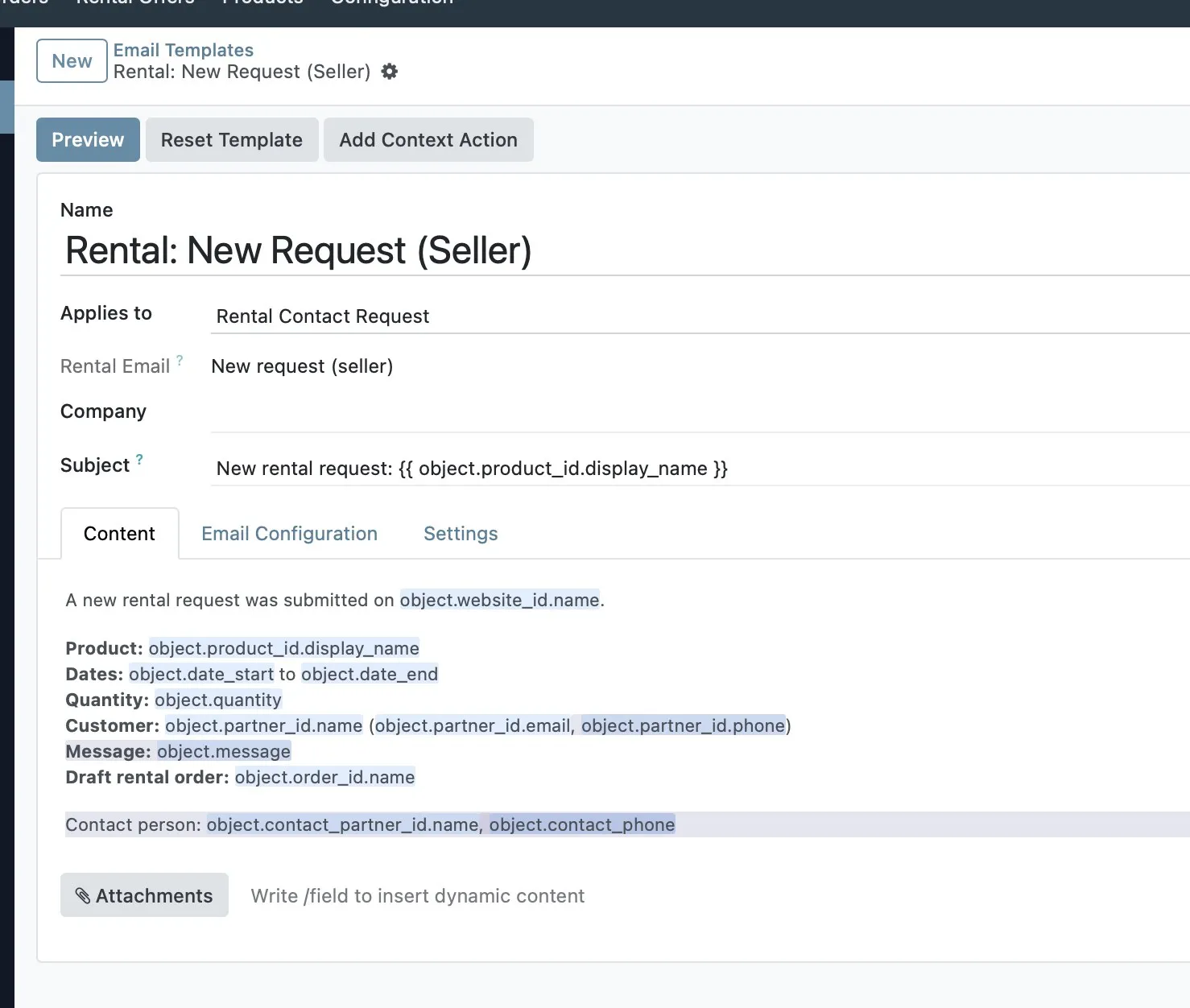
Section titled “Emails of a website request”A request sends two emails: an acknowledgement to the customer (Rental: Request Received) and a notice to the dealer (Rental: New Request (Seller)). The dealer email lists the product, dates, quantity, the customer’s details and message, the draft order, and the contact person. It goes to the email address of the dealer location, or of the company when the location has none. The contact person is copied when their address is different. If neither address is set, the contact person’s email is used; with none at all, no email is sent and the event is logged. The dealer email never blocks the request.
Edit the rental emails
Section titled “Edit the rental emails”Sales managers can edit both emails in Rental → Configuration → Email Templates. Edits are kept when the module is upgraded. Changing the body needs the Mail Template Editor group, which the Sales Manager role includes.
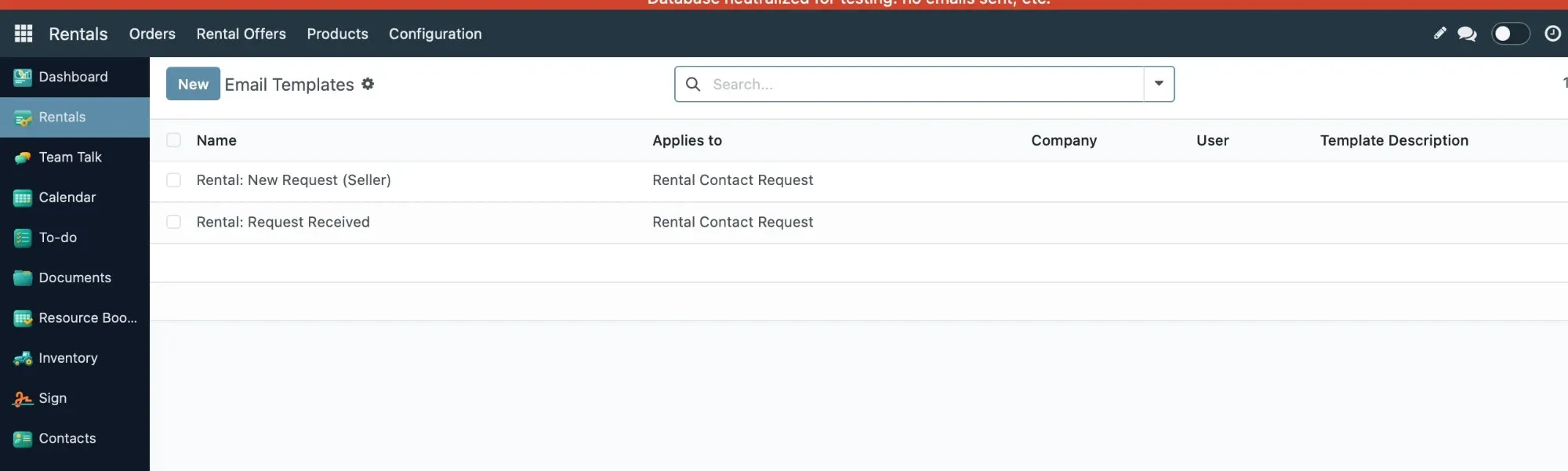
Open a template to change its subject and content. The fields in the content, such as the product, dates, and contact phone, are filled in for each request.
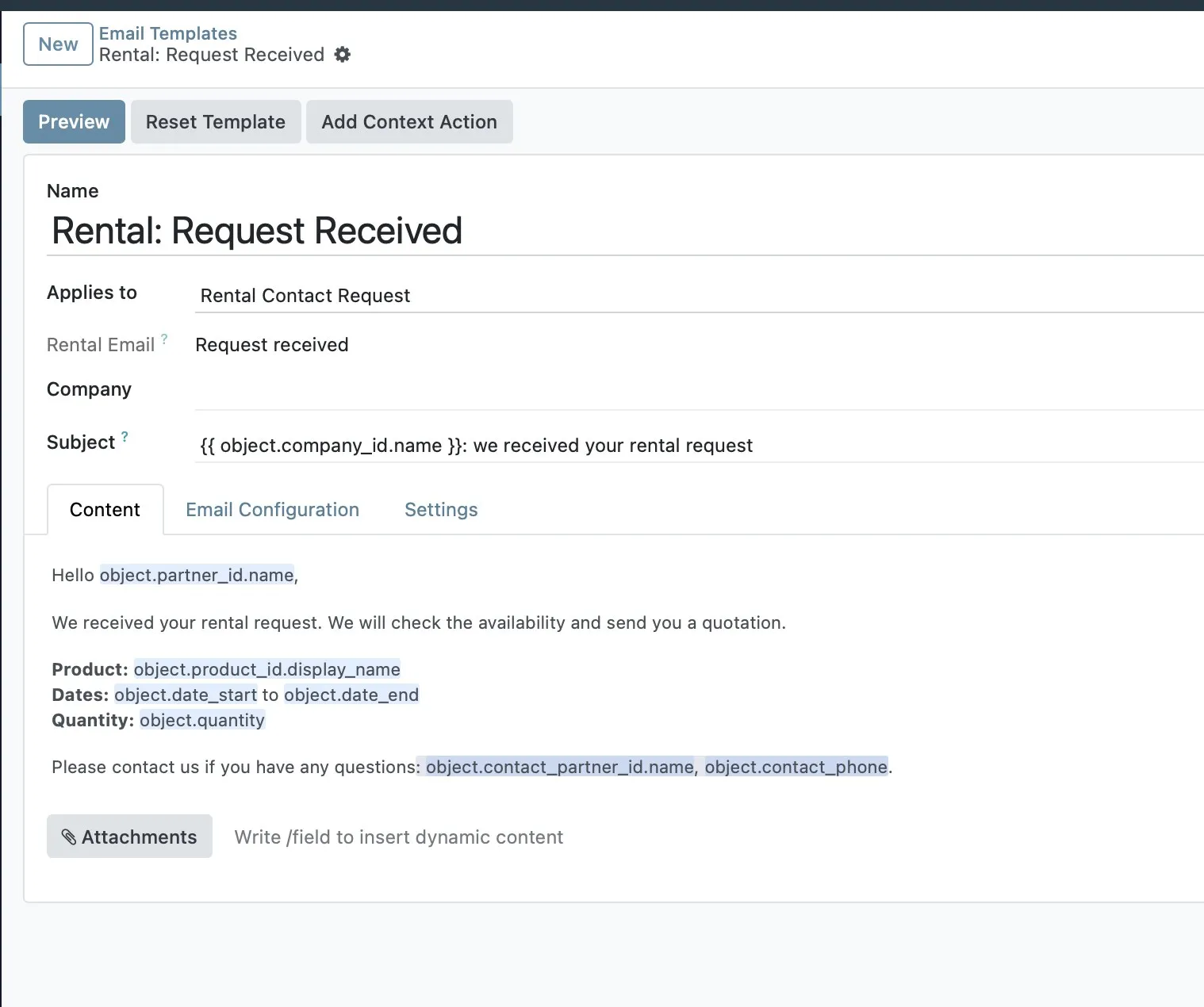
The acknowledgement to the customer, Rental: Request Received, is edited the same way. Its last line gives the contact person and phone.
To word the emails differently for a company, duplicate the template, set the Company on the copy, and edit it. A request of that company uses the template assigned to it; other companies keep using the shared template.
Troubleshoot a missing rental price
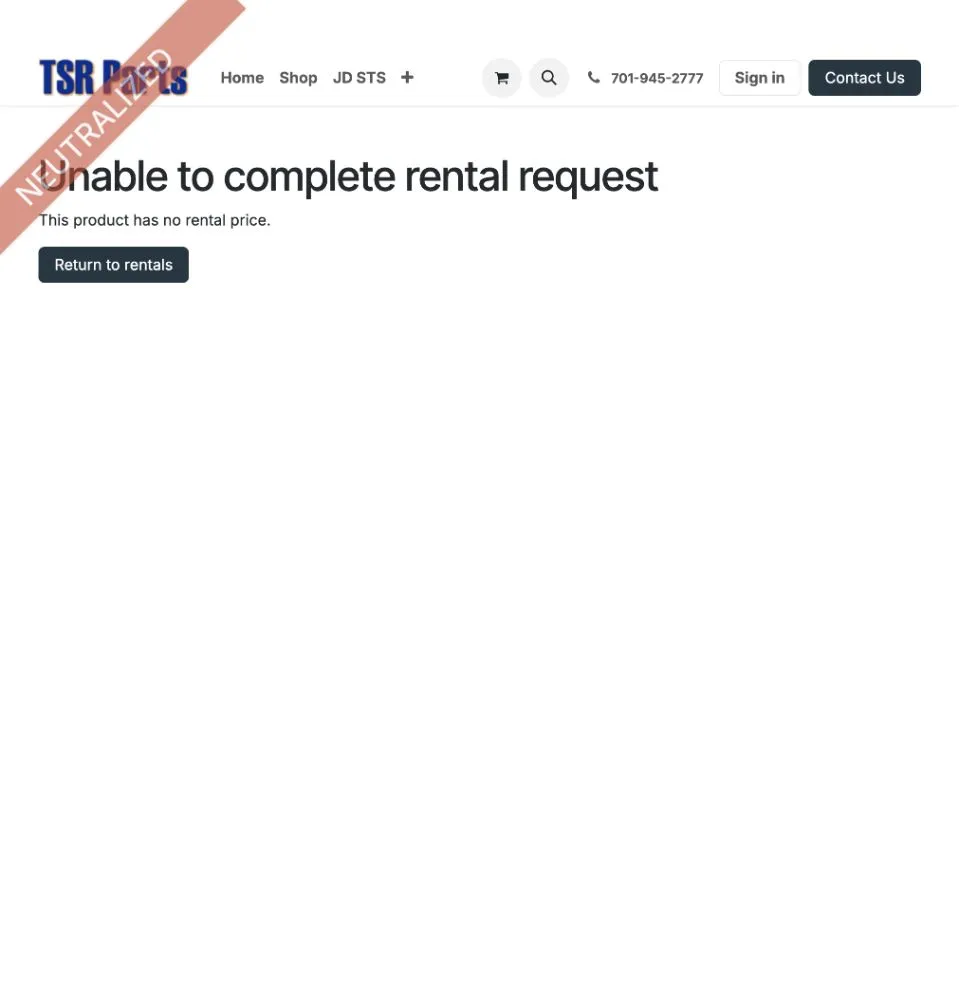
Section titled “Troubleshoot a missing rental price”If the website responds with This product has no rental price, the request was not created. Check that the selected variant has an applicable row in Rental Prices for the website’s active pricelist. A general row with an empty Pricelist can be used as the fallback. After correcting the price, submit the request again.