Start here — Eileen's franchisees
Use these guides to run your Eileen’s store in HQ: maintain store details, connect Stripe, choose what you sell, prepare Decorated Dozen boxes, and handle customer orders.
Sign in to your store’s HQ
Section titled “Sign in to your store’s HQ”- Open the Eileen’s website address supplied by your HQ representative.
- Add
/web/loginto that address, or use the sign-in link provided with your account. - Enter your individual HQ login and password. If a remembered account is shown, choose Use another user to enter a different login.
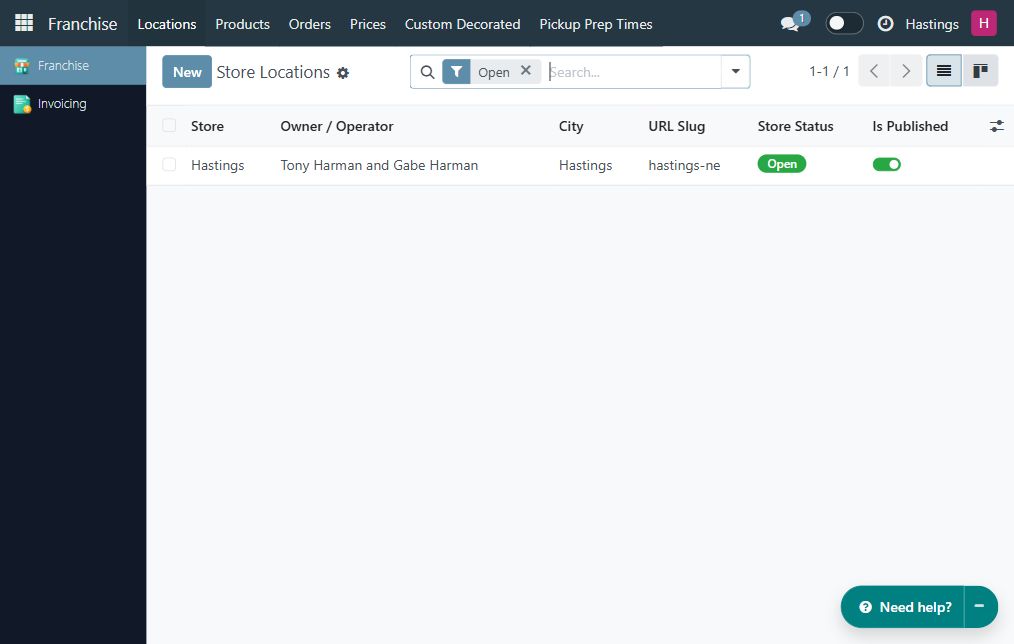
- After signing in, open Franchise → Locations. Your store should appear. The examples in this section use Hastings.
- Check the company name in the upper-right corner before changing anything. If you manage one store, you should not need to select another company.
If you have not received an account, ask your HQ representative to provision access to your franchise. A customer shopping account does not provide the store-management tools.
Two kinds of sign-in
Section titled “Two kinds of sign-in”| Access | Used for | Who uses it |
|---|---|---|
| Individual HQ login | Store settings, availability, prices, boxes, and the back-office Orders list | The owner or an authorized manager |
| Store staff password | Unlocking in-store designs and the staff order board on the website | Authorized counter staff using a store device |
Signing in to HQ does not automatically unlock the password-protected staff view. Choosing a store on the website is also a separate step from selecting your company in HQ.
Find the task you need
Section titled “Find the task you need”| Task | Where to start |
|---|---|
| Address, phone, email, opening hours, delivery, or staff password | Set up your store |
| Connect your store’s Stripe account | Set up Stripe |
| Products, designs, colors, sprinkles, or prices | Manage your menu and prices |
| Create a fixed box of twelve decorated cookies | Create Decorated Dozen boxes |
| Look up an order or work through the store’s live queue | Orders and the staff order board |
Your owner account normally uses Franchise. If you manage Stripe, you may also see Invoicing. Menu entries depend on your assigned access. You do not need general Settings, Apps, or access to another franchise to perform these tasks.
Before accepting website orders
Section titled “Before accepting website orders”- Confirm the store’s contact details, hours, timezone, and public page.
- Ask the brand to confirm your menu and whether you may set your own prices.
- Check available designs, flavors, colors, sprinkles, and any locally unavailable items.
- Review each box’s owner, composition, price, publication, and storefront appearance.
- Complete the Stripe setup and payment verification with HQ.
- Set a store staff password, open the order board, and make sure the counter team can use it.
- Ask HQ to confirm the store’s order-processing setup, including its warehouse, before launch.
When something is missing
Section titled “When something is missing”First check the company name and reload the page. After a permission change, sign out and sign in again. If a control is still unavailable, tell HQ the task you were trying to complete and include the page address and error message. Do not request access to all companies as a workaround.
Forms is available only where the forms application is installed and your role includes it. Its absence does not prevent you from using the Orders list or the staff order board.