Websites
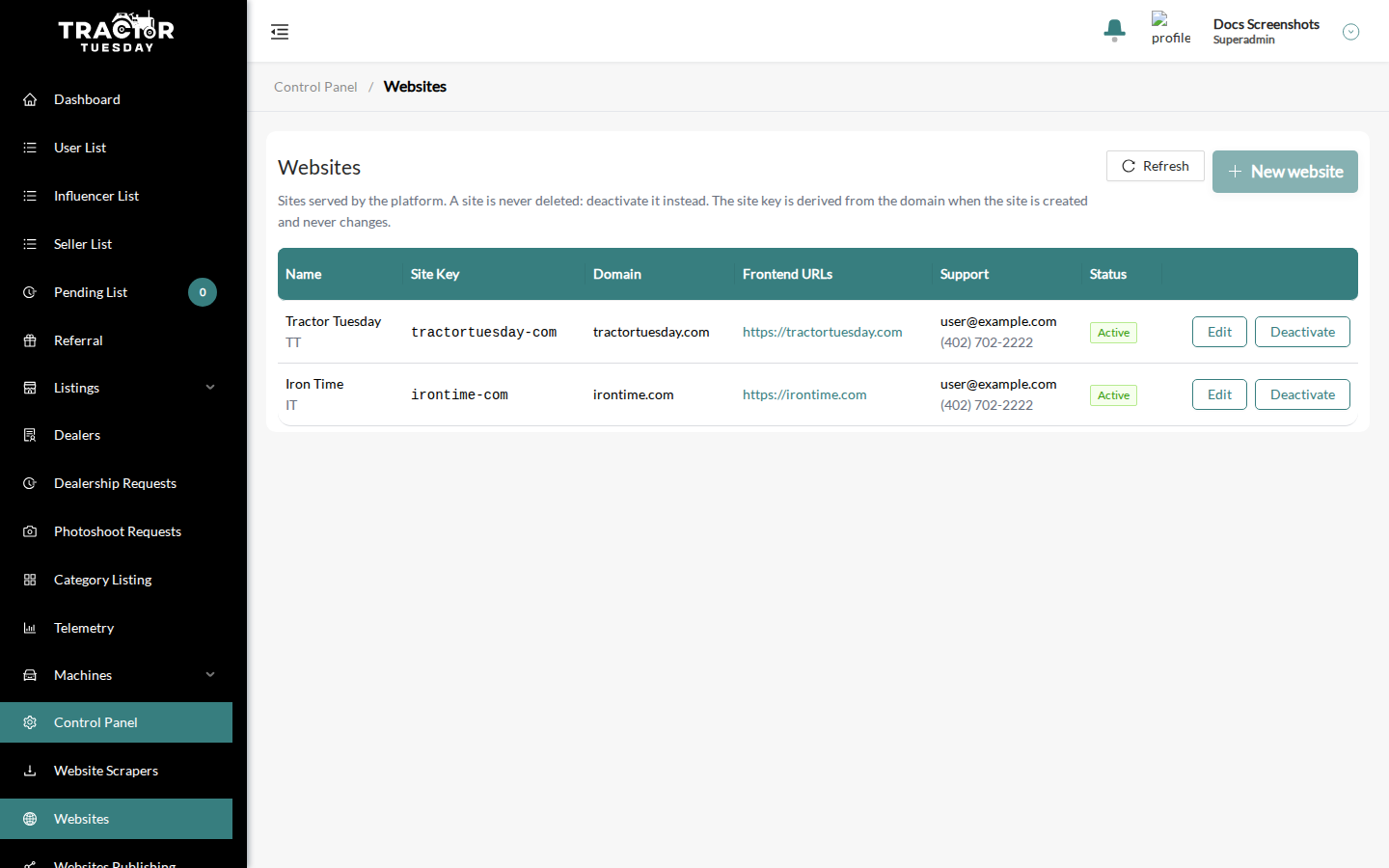
Open Websites (/control-panel/websites). You need the Platform management privilege. Without write access the page is read-only.
A site is never deleted: deactivate it instead.
The list
Section titled “The list”Columns: Name, Site Key, Domain, Frontend URL, Support and Status (Active or Inactive). Use Refresh to reload the list and New website to add a site.
Row actions: Edit (View without write access), and Deactivate or Activate.
An inactive site disappears from the site selectors and is shown as “(inactive)” in Websites Publishing. The API refuses an inactive site in the site header.
Create or edit a site
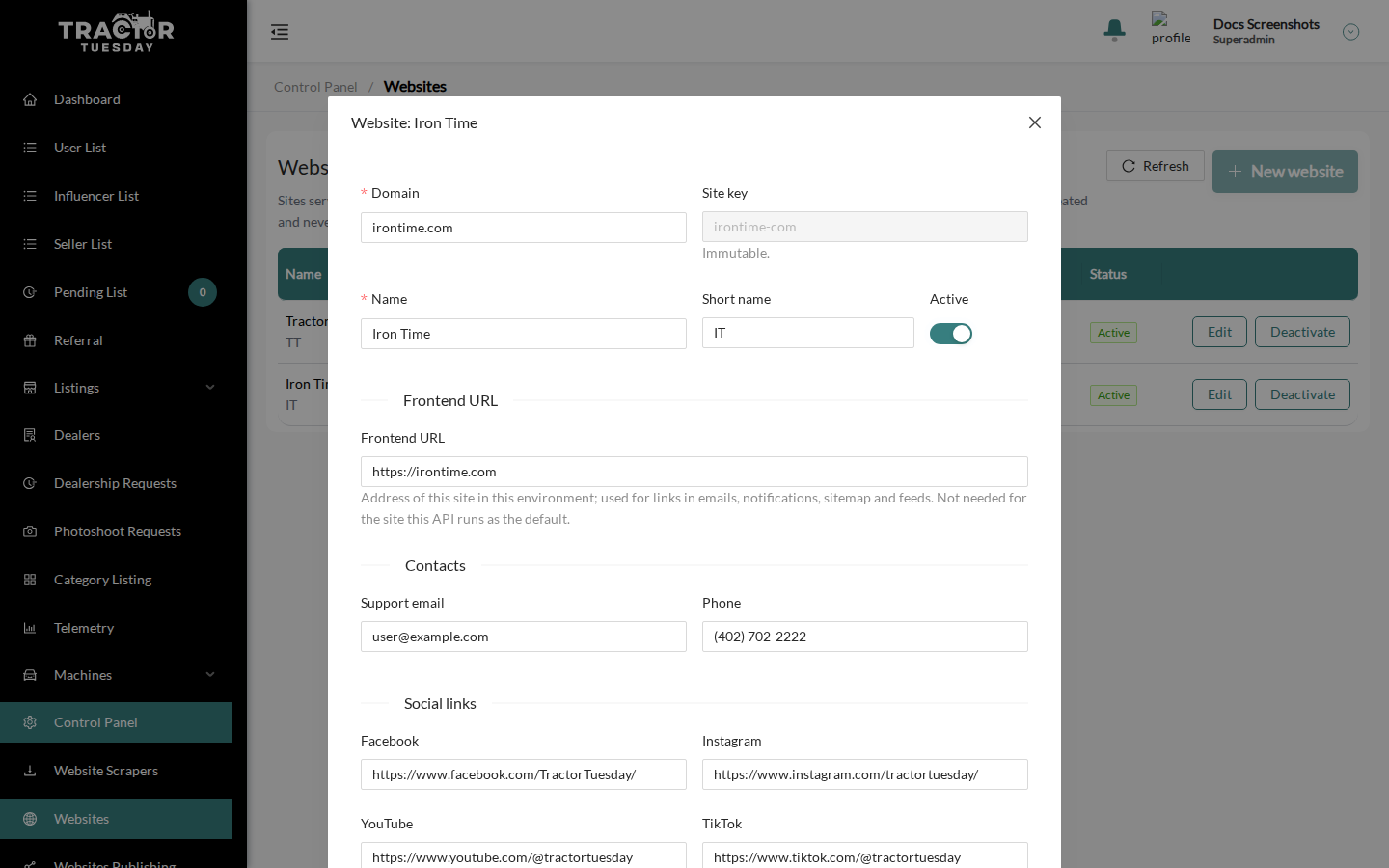
Section titled “Create or edit a site”The modal is titled New website or “Website:
- Domain. An apex domain such as example.com. It can be edited later.
- Site key. A read-only preview. The key is derived from the domain once, when the site is created (lowercase, dots become ”-”), and never changes, even if you edit the domain.
- Name (required, up to 100 characters) and Short name (up to 50).
- Active.
- Frontend URL. The address of the site in this environment, used for links in emails, notifications, the sitemap and feeds. It must be an http or https URL of up to 300 characters, without credentials, query or fragment. It is not needed for the site the API runs as its default.
- Support email (a valid address) and Phone (up to 50 characters).
- Social links: Facebook, Instagram, YouTube, TikTok and X.
- Blog URL.
- Updates label (up to 100 characters). It is the label of the announcement bar; leave it empty to hide the bar.
- Copyright holder. Enter the holder only; it is shown as ”© Copyright YEAR HOLDER”.
- Email banner URL. The banner of the emails sent for this site’s listings.
- Cloudflare zone id. Used for visitor counters; it is not a secret.
Click Create or Save. After creating a site, decide what it shows in Websites Publishing.